
Weekly planning doesn’t need a 2-hour retreat or a Notion template with 47 linked databases. Here’s what 15 minutes of it looks like in practice.
Introduction
By weekly planning I mean a regular ritual, ideally done every week, where I reflect on the past few days and prepare for the week ahead.
How do I know it’s time for weekly planning?
I have a weekly task set for Sunday that tells me it’s time to plan the coming week. I sometimes ignore it when I’m busy with something else. After a while, I feel like my system has absorbed a lot of new action items but I haven’t had time to review what actually matters. That’s the signal.

A few tips for effective weekly planning: lessons learned
Tip 1: I set a 15-minute timer so I don’t drift into unnecessary stuff. Yes, it sometimes takes longer, but the clock protects me from procrastination. It signals “we’re doing planning only today.”
Tip 2: This one is more of a mindset shift. Life is complex, so things will always surprise your system, whatever framework you follow: GTD, PARA, or ad hoc. To stay resilient against the unpredictable, I split my digital life into two parts: Execution and Notes.
- Execution: driven by 3Monads. Anything in that tool is a signal it will get done at some point. It’s the action system I trust.
- Notes: a general term for reference material that supports my Execution system: my second brain, Zettelkasten, wiki. I use Obsidian with markdown files backed by git.
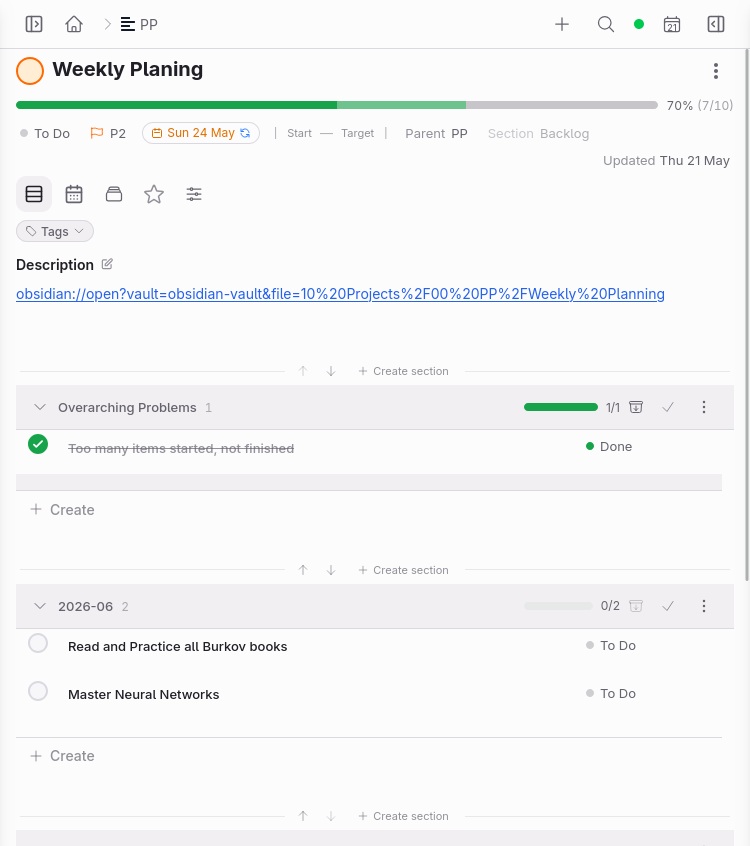
This is my recurring task, scheduled every Sunday. You can see some sub-tasks. I track things I want to do during the review and add goals. There are two sections here. One is part of my Overarching Problems: I wanted to fix a recurring issue this week, too many things in progress at once. The other is section 2026-06, my goals for June. I keep them visible every week so I can track where I’m heading.
Weekly planning focuses mainly on the Execution side. That’s where I decide what to deliver and what I don’t want to miss in the coming week. It’s also a reflection on where my time went last week.
On top of that I use ad hoc tools for everyday tasks, and for deeper reflection I use paper and physical journals.
Tip 3: Weekly planning must be quick, frictionless, and beneficial. It must also feel good, whatever that means to you. You want to enjoy the ritual, otherwise you won’t stick to it. Some tricks: go to a café, order your favourite coffee, put on music, whatever works. But keep the goal in mind: a prepared set of items with priority and status, ready to execute next week.
Tip 4: The goal of weekly planning is to go from Chaos to Organized Chaos. Organized Chaos is still chaos, but part of your system is structured. The rule: work on the organized part as often as possible. It gives you focus. Unlike a motivational YouTube video, life keeps throwing surprises. Those go into the Capture part of your execution system and are out of scope for weekly planning, unless something has a deadline within a few days, in which case it gets included.
Step 1: What I’ve done last week
First, look at what you completed last week to see where your focus went. Then figure out whether anything unfinished is still relevant this week or can be pushed to a later date.
In my system I use:
- Priorities: P1-P4 and no priority
- Statuses: To Do, Next, In Progress, Ongoing (longer work or projects), Done, Archived (hidden from view)
- Dates: Deadline (due date), Start date (when I want to start the task), End date (roughly when I want to finish), Updated (when it was last touched, signals it’s active), Completed (when it was marked Done)
For the Last Week view I filter by several date fields:
- Deadline, Start date, End date, Updated, Completed (up to today minus 10 days; more than a week, but I like a bit more context)
- For “Updated” there would be too many items, so I narrow it down by status: In Progress and Ongoing
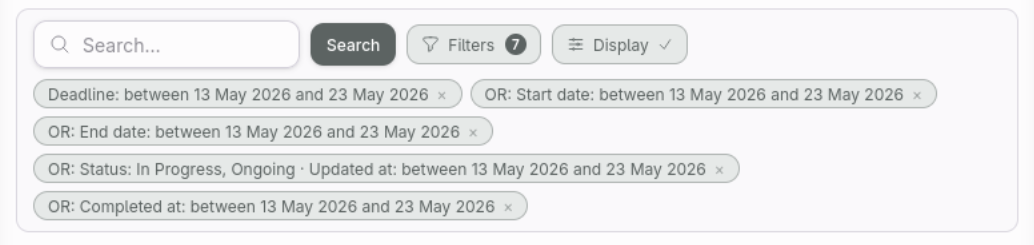
In 3Monads I can save views with dynamic dates. The today() value is calculated at open time, so a
filter like today() - 10 days always shows the last 10 days without any manual adjustments.
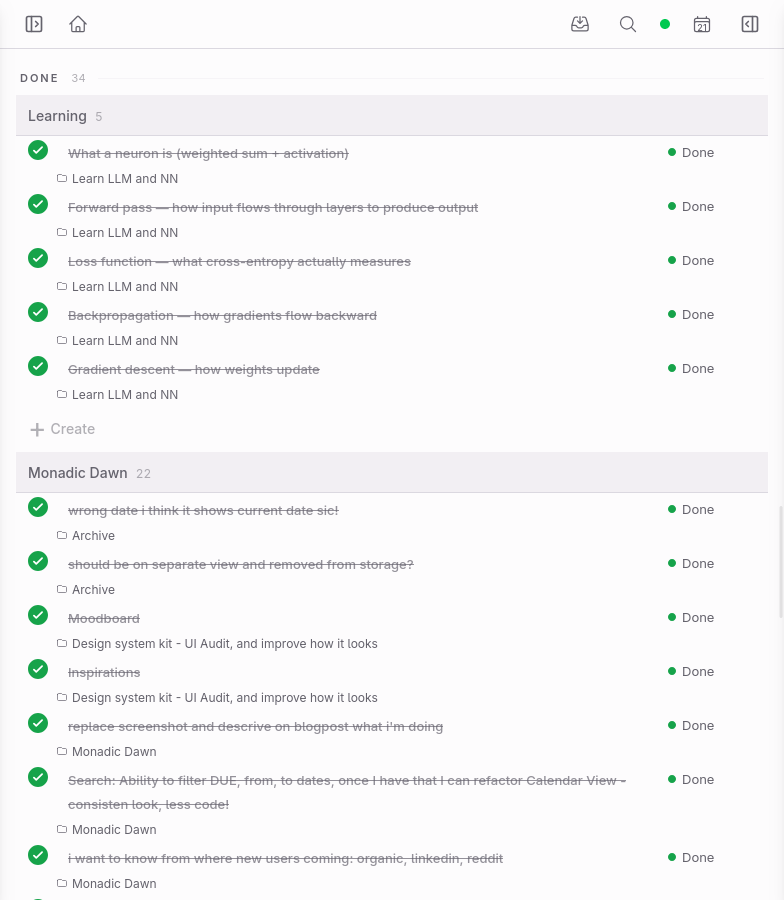
Not everything gets completed. That’s normal. This is the moment where I decide what I still want to do and what is no longer needed.
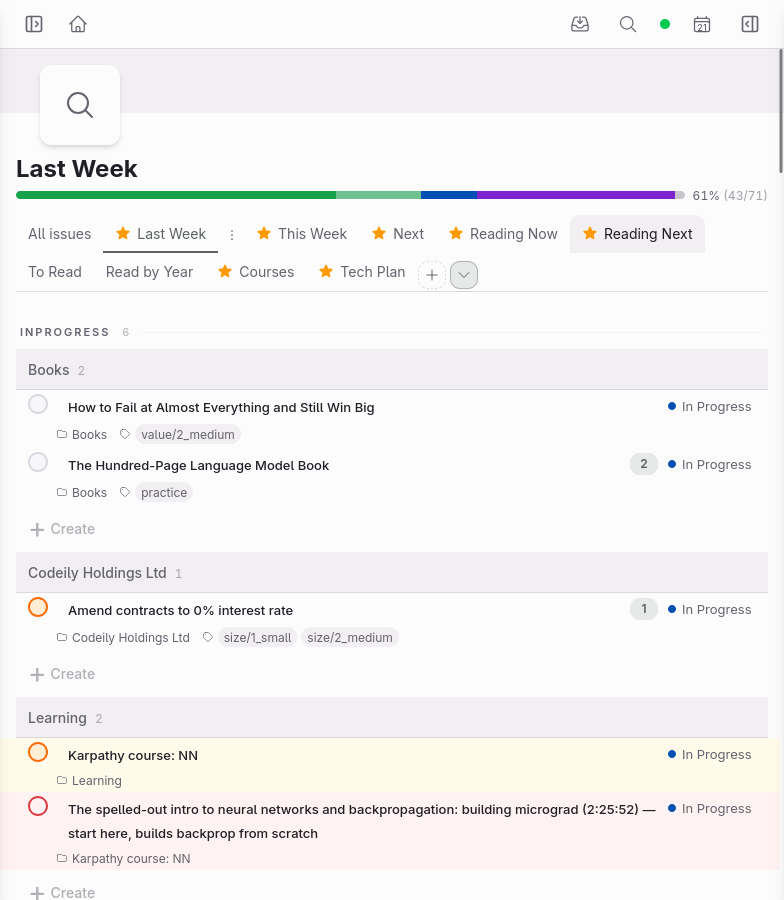
For anything not yet done that I still want to tackle, I mark it as Next, or In Progress if I’ve already started. I go through the list to see what I was occupied with and set priorities for things I really want to do this week. If priorities are already set, I just highlight them.
Some tasks get “carried over,” not completed again. To avoid the trap of infinite carry-overs, I use a few escalation cues:
- Counter: 3Monads lets me increment or decrement a number on any item (+1 / -1). Each time I carry something over, I bump it up. Three or more is a signal: either commit to it this week or drop it.
- Highlight: I colour-code items to make the most overdue ones impossible to ignore at a glance.
- Priority: if something keeps slipping, I raise its priority so it competes harder for a slot next week.
Together they make repeat offenders hard to ignore.
Step 2: What I want to do this week
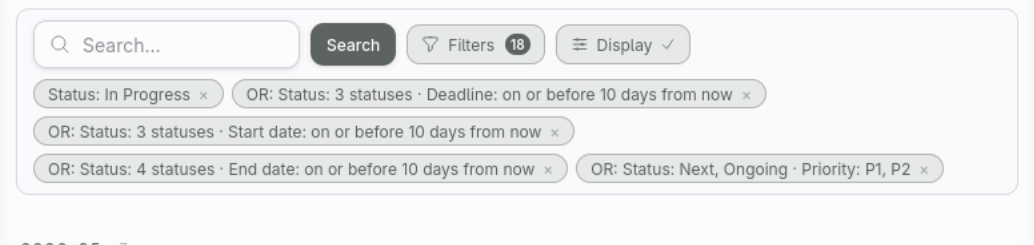
I keep two windows open side by side: one with last week, one with this week, so I can control the flow. The filter is simple: In Progress, or anything unfinished with a deadline, start date, or end date landing in the next 10 days.
Each project and area uses consistently named sections based on the month I plan to do the work. This lets me benefit from that convention and get a cross-project view in one place.
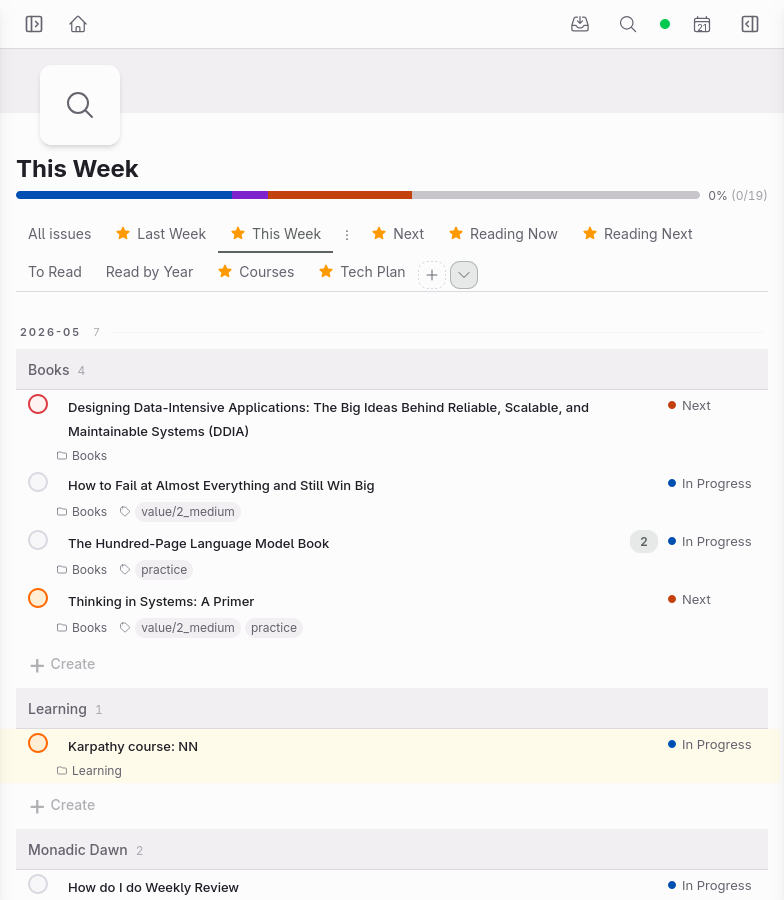
I want to finish two books here and have planned two more. I’ve already started two things from other projects. It’s clear what I’ve started, what’s coming next week, what’s high priority and what’s not.
Step 3: What’s next (quick peek)
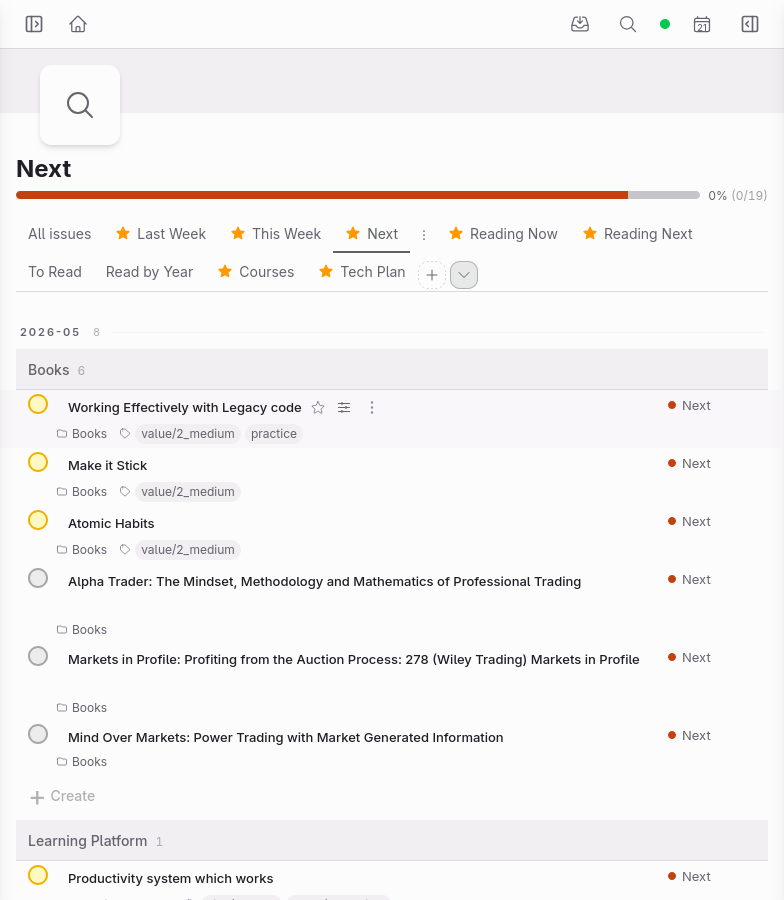
This peek stops surprises. If something important lands next week, I want to know now, not on Monday morning. I filter by Status = Next and P3/P4 with dates between +7 and +17 days. A bit of overlap is fine. Everything else gets handled in monthly planning.
Step 4: Closing
At the end I check my Google Calendar for the coming week. Every item with a deadline syncs there too, so anything date-driven will show up in the Today view automatically. For everything else I rely on In Progress status, then Next with P1 and P2 priorities. It’s been my go-to for years and it still works. I especially recommend it for people who have always put off planning because of lack of time or because they didn’t know where to start and felt overwhelmed.
Summary
The most important thing is not the tool. It’s the system: the rules, the steps, the habit of doing it. Tools matter, but only because they must be frictionless enough to let your system actually run. A tool that fights you is a tool you’ll stop using.
Write your system down. Even a few bullet points. Then follow it. It will change over time, and that’s fine. A good system changes. That’s expected.
Pick a day this week. Set a 15-minute timer. Run through the four steps. That’s all it takes to start.